How to Use Step Fill Stitches: Density, Styles, Underlay, and Gradient Blending
Step Fill is the standard fill type in DRAWings PRO XII for large digitized shapes. It constructs a solid, uniform foundation using parallel, equidistant stitch lines.


How to Training sections has useful training topics.

Step Fill is the standard fill type in DRAWings PRO XII for large digitized shapes. It constructs a solid, uniform foundation using parallel, equidistant stitch lines.

The Clipart Library in DRAWings PRO XII allows you to convert custom embroidery elements into reusable digital assets, eliminating the need to digitize or re-import frequent motifs from scratch.

Satin Fill is designed for narrow shapes, borders, and lettering, creating a smooth, glossy surface by running stitches closely across an object’s contours.

When digitizing designs with multiple applique segments (such as flower petals, lettering, or split patterns), stitching each piece individually requires repetitive machine stops and frame-outs for placement and trimming.

Running style stitches are an effective way to elevate line art, enhance borders, and add custom decorative flair to monograms or shape outlines.

DRAWings PRO XII includes a Clipart Library containing ready-made embroidery designs that you can quickly add to your own projects.

How to Use the Sequence Manager to Optimize Your Stitch Order
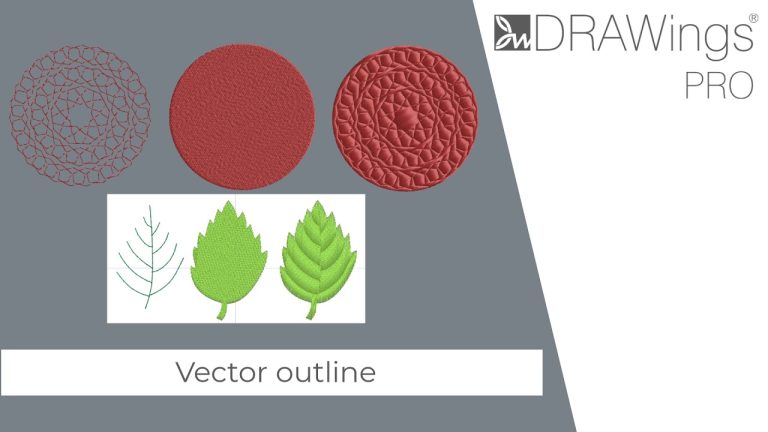
In DRAWings PRO XII, the Vector outline is a unique outline type that acts like an artwork object—it contains no stitches on its own.

This step-by-step guide walks you through the process of designing custom satin stars using the Circular Array tool in DRAWings PRO XII.
 Optimized by Seraphinite Accelerator