How to Use the Stippling Fill Tool for Machine Embroidery
The Stippling fill type generates a continuous, meandering stitch path that perfectly adapts to the contours of your selected shapes.

How to Training sections has useful training topics.

The Stippling fill type generates a continuous, meandering stitch path that perfectly adapts to the contours of your selected shapes.

The Piping fill type is a specialized feature in DRAWings PRO XII that scans the shape of your digitized object and generates inner contour lines.

The Netfill type is a specialized embroidery fill option in DRAWings PRO XII that creates a geometric grid using two sets of intersecting scan lines made of parallel, equidistant running stitches. Because this structural grid forms an open net, it is the ideal choice for creating freestanding lace or filling open areas in cut fabric…

The Auto Border tool in DRAWings PRO XII is a powerful feature that automatically creates a new object based on the outline of a selected design.
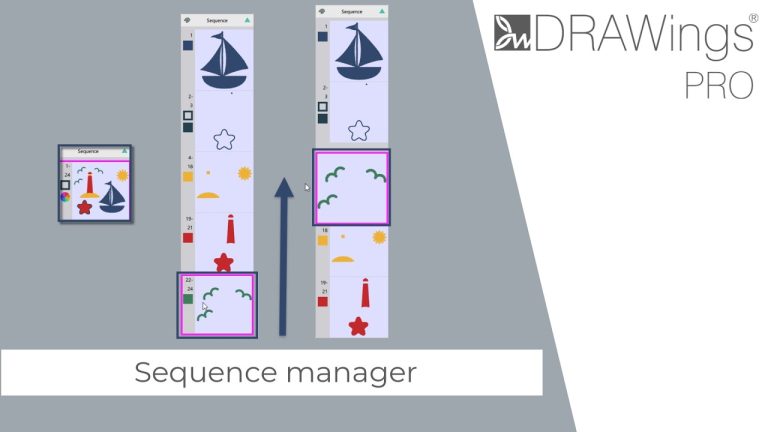
The Sequence Manager in DRAWings PRO XII is located at the upper right edge of your design area. It provides a visual representation of your design’s embroidery order and allows you to easily modify the sequence to suit your specific project needs.

The Ambience Quilting feature automatically builds beautiful, customizable quilting stitches around your selected elements.

Redwork designs are traditionally created with red running stitches on white fabric.

The Satin Serial outline type applies zigzag stitches along the border of your object, making it a highly versatile tool for borders, text, and decorative finishing.

The Running Outline is a fundamental stitch type used for borders, details, and decorative framing in your embroidery designs.