How to Create Quilt Blocks Using Ambience Quilting in DRAWings PRO XII
The Ambience Quilting feature automatically builds beautiful, customizable quilting stitches around your selected elements.

Knowledge base for DRAWings Embroidery Software

The Ambience Quilting feature automatically builds beautiful, customizable quilting stitches around your selected elements.

Redwork designs are traditionally created with red running stitches on white fabric.

The Satin Serial outline type applies zigzag stitches along the border of your object, making it a highly versatile tool for borders, text, and decorative finishing.
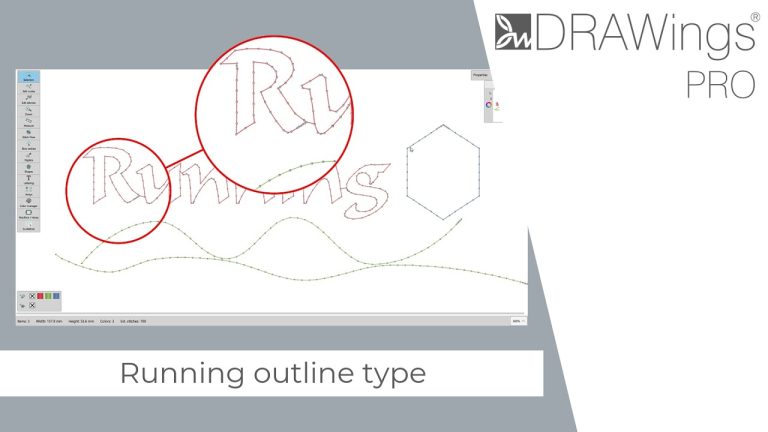
The Running Outline is a fundamental stitch type used for borders, details, and decorative framing in your embroidery designs.

When working in DRAWings PRO XII, it is crucial to understand how your design data is stored. All information about your digitized shapes and their unique properties is kept only when saving your work as a working DRAW file.

Unlock the full potential of your DRAWings PRO XII embroidery software with our comprehensive, free video training course. Whether you are a beginner or a seasoned professional, this library of over 230 interactive training videos covers everything you need to know to master the software. Here is your step-by-step guide to accessing and navigating the…

Properly sequencing your design is crucial for an efficient and clean embroidery stitch-out. DRAWings PRO XII offers two distinct ways to handle this

Create Embroidery Designs Using AI: Leveraging Artificial Intelligence is a game-changer for those who find freehand designing a challenge.

The Convert Fill to Centerline option allows you to automatically transform a fill object (a shape filled with stitches) into a line object (an outline). This is particularly useful when you need to create a path based on the geometry of an existing shape without manually tracing it. Step-by-Step Guide Result: The software will remove…