Wings' modular 5

Wings' modular 5

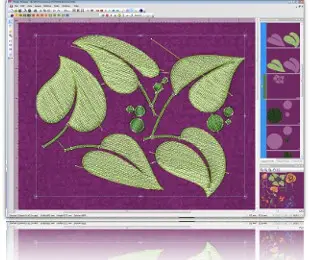
Wings’ modular 5 is professional embroidery software that consists of 14 modules. Each module has different features in order to be easier for you to decide which modules you actually need. You can buy the modules you want and create the embroidery software that fits to your every day embroidering needs. You can add more modules any time you want.

DRAWings 5 & Wings' modular 5 Basic, Text and Connect modules

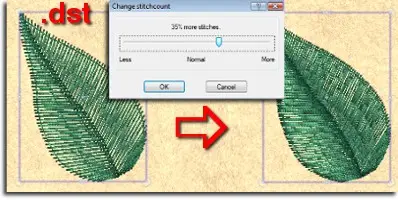
In DRAWings 5 package, Wings' modular 5 embroidery software comes with "Basic", "Text" modules only that include many useful embroidery abilities and communicates directly with DRAWings 5. Inside Wings' modular 5 you have stitch editing abilities, combine embroidery designs by copy and pasting parts of different designs, re-sequence objects, use Pre-digitized fonts to add text on path or inside envelope, change entry and exit points of a design, adjust advanced embroidery parameters such as Density, Underlay, Fix and Lock stitches, change Corner style, adjust compensation, add half pitch compensation and variable pitch on stitch objects. In addition Wings' modular "Basic" module comes with more than 3000 free embroidery designs. Read more about Wings' modular 5

User friendly

DRAWings 5 allows you to focus on the business of embroidery. Don’t be dragged down by technical difficulties and time-demanding design decisions. Take full advantage of controlled automation with built-in, artificial intelligence and knowledge of experienced embroiderers experts in their field.
Wings' modular Text module


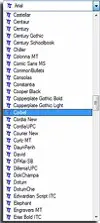
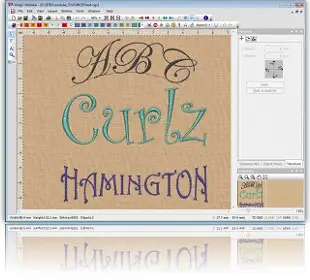
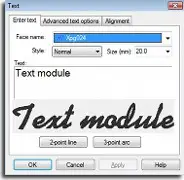
This module is very useful to all embroiderers. Creating text embroidery is in every day production process. The Text module contains all the required functionality for creating high quality text embroidery designs including 30 pre-digitized fonts for Satin, Piping, Zig Zag!


General tools:

  • Create a New Design
  • Edit backdrop properties
  • Add a Bitmap or Vector image in the design as a backdrop
  • Join Text Object
  • Break apart (Joined Text Objects)
  • Change the entry point of the selected object
  • Change the exit point of the selected object
  • Insert special functions
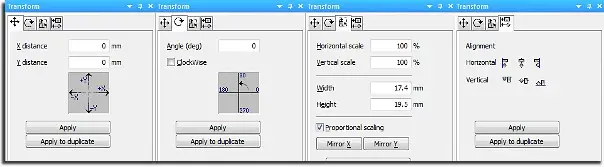
  • Transform selected objects by creating copy or not
  • Move selected object with mouse or with specific number input
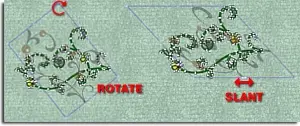
  • Rotate selected objects
  • Scale selected objects, proportional or not
  • Mirror the selected objects Horizontal or Vertical
  • Text Input and Edit
  • More than 50 pre-digitized fonts available for Satin - Piping - Zig Zag
  • True type Font conversion to Running and Satin serial for border
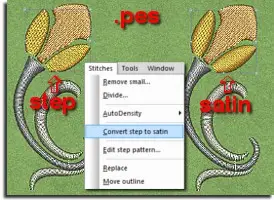
  • True type Font conversion to Step for filled areas
  • Style, Script and Size specification
  • Placement of the text by line and arc also by fixing the length or symmetrical
  • Escapement on Text
  • Horizontal and vertical alignment
  • Space adjustment between the characters, words or lines
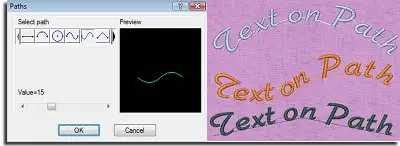
  • Place Text on a Path
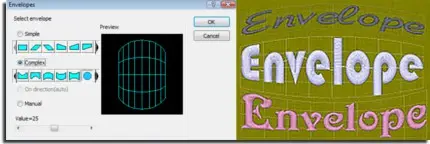
  • Transform Text by envelope
  • You can convert all the available TrueType Fonts installed in your computer to embroidery Text artwork
  • TrueType symbols can be converted to automatically to perfect embroidery designs

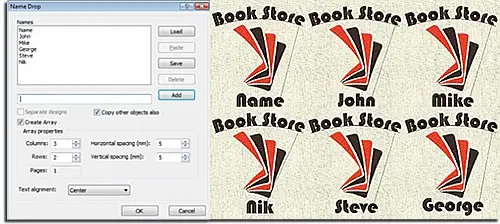
Name Drop: the easiest way to create multiple designs with different names


  • Write the names that you want to be embroidered
  • Create or load the name list you wish
  • Add or remove the names you wish from the list of names
  • The names can be created in separate or in the same design
  • In case that the current design has also other objects you can specify if they will be copied or not
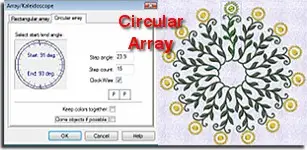
  • Create Name Drop as array by specifying the Columns, the Rows and the Horizontal or vertical space
  • Arrange the Horizontal alignment of the text

Available Stitch types for Text input and parameters for the existing punching objects:


Satin Stitch type:

  • Density
  • Underlay types
  • Fix and Locking stitches
  • Corners On/Off switch
  • Compensation
  • Half pitch compensation
  • Variable pitch

Step Stitch type:

  • Density
  • Underlay types
  • Length
  • Compensation
  • Fix and Locking stitches

Satin serial Stitch type:

  • Density
  • Underlay types
  • Fix and Locking stitches
  • Corners On/Off switch
  • Width
  • Half pitch compensation
  • Variable pitch

Zig Zag Stitch type:

  • Density
  • Underlay types
  • Fix and Locking stitches
  • Corners On/Off switch
  • Compensation
  • Half pitch compensation
  • Variable pitch

Running Stitch type:

  • Length
  • Fix and Locking stitches

Piping Stitch type:

  • Density
  • Length
  • Fix and Locking stitches


Text module™ Video overview


The video content presented here requires a more recent version of the Adobe Flash Player. If you are using a browser with JavaScript disabled please enable it now. Otherwise, please update your version of the free Flash Player by downloading here.