|
|
 |
|
| |
DRAWings 4 Embroidery Software has been released!
|
We are delighted to announce that the whole new DRAWings® 4 has been released. All Corel® DRAWings® PRO users can upgrade to DRAWings 4 at the special price of US$ 299/210€.
DRAWings® 4 is more than a software upgrade and a powerful collection of new features: it’s a groundbreaking enhancement of your favorite embroidery software with its own designing tools! Buy `DRAWings 4 now for 1799US$/1299€. |
|
| |
|
Experience the freedom of vector–based embroidery with DRAWings® 4 Pro!
Complete and easy–to–use, DRAWings® 4 Pro offers the full creative power of a totally new desinging engine that allows you to create the embroideries you want. |
| |
DRAWings 4 Pro embroidery software is ideal for small and home-based businesses but it is will also take care all real-life challenges faced in the embroidery industry – where creativity and production are often in a fine balance with deadlines and budgets.
It is so easy to use that becomes a toy in the hands of any home user that wants to create embroidery designs on any home embroidery machine.
Complete, fast and easy to use, DRAWings 4 Pro exceeds the most demanding expectations of typical small and home-based businesses:
- Converts any vector artwork into embroidery with premium stitch quality
- Automatically calculates embroidery parameters such as underlay, compensation, branching, thread trimming and stabilizer requirements
- Provides real-time updates between your artwork design and stitch results
It helps you to become profitable and competitive by:
- Creating professional quality embroidery designs in seconds.
- Significantly reducing your digitizing costs
- Saving money by buying vector clipart instead of stock embroidery designs
- Offering more reliable quotes to your customers based on accurate stitch counts and 3-D material-based sewn-off images
This unique edition of DRAWings 4 Pro allows you to focus on creativity – and avoid getting stuck on the technical process of developing outstanding embroidery. You can take full advantage of instantaneous conversion without losing control.
With outstanding text options, extensive appliqué abilities, patterns, fill and fabric selections, DRAWings 4 Pro offers everything you need in one box. DRAWings 4 Pro can convert any bitmap into cross-stitch, greatly simplifying the design process. It does the work for you – from determining template design to stitch density. No further modules are necessary!
Through its intuitive interface, DRAWings 4 Pro can go from concept to completion without the time and expense required for traditional digitizing, making even small orders more profitable. You can control stitch direction, divide satin stitches, add sequence control to the design, and use advanced appliqué options along with enhanced control tools. |
| |
| View all New features of DRAWings 4 |
| ...................................................................................................................................... |
Overview of DRAWings 4 PRO |
| Convert any vector design to embroidery
|
| |
Import a Vector design to DRAWings 4 Pro or create one from scratch and convert it to embroidery design with a single click. Get professional embroidery results in no time. |
| |
 |
| |
|
| Create any text art design and convert it to stitches |
| |
Use any of the 1000 Fonts that are included to create your Text art designs and convert them to embroidery |
| |
 |
| |
|
Make shape changes easily |
| |
Use shaping tools that are available to change you vector design and re-embroider it. Some of the shaping tools are, Node editing, Resizing, mirroring, Weld, Trim, Intersect, Simplify, Blend, Contour, Envelope and many more |
| |
 |
| |
|
| Fill the embroidery designs with 6 different stitch types |
| |
Use any of Satin, Piping, Step, Appliqué, Satin serial and Running stitch types to fill the embroidery designs. |
| |
|
| |
|
| Styles and Patterns are included |
| |
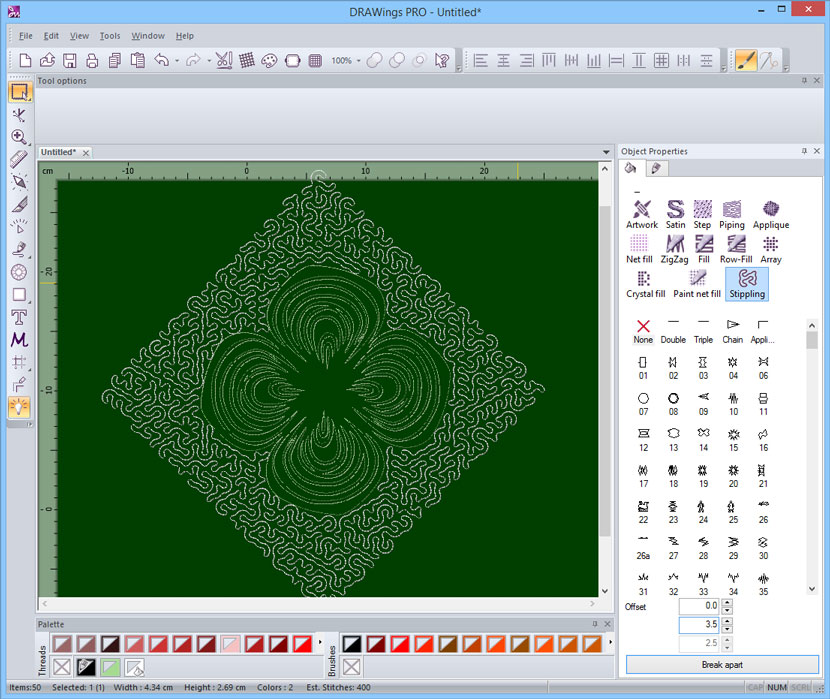
Use Styles and Patterns to fill the shapes with artistic stitches and create unique embroidery designs. |
| |
|
| |
|
| Supports multiple Appliqué |
| |
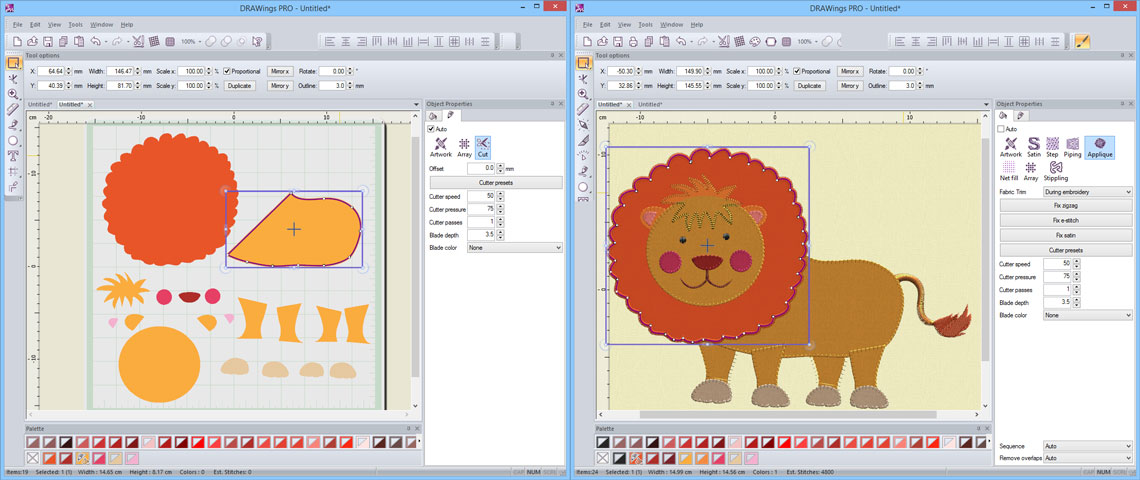
You can place multiple appliqué on the fabric and embroider deferent holding stitches for each level. |
| |
|
| |
|
| Convert bitmap objects to Cross-stitch designs |
| |
Import any bitmap design in DRAWings 4 Pro and get a flawless Cross-stitch design. Now any photo you have can be embroidered as a cross-stitch design. |
| |
 |
| |
|
| |
| More Styles and Patterns |
| |
353 Styles and 194 Patterns are included in the software. You can make combinations of those two and create unique embroidery designs. |
| |
|
| |
|
| Automatic overlapping shapes trimming |
| |
An automatic filter is added that removes the overlapped objects, where needed, and increases the embroidery quality. Also this filter can be handled manually and allows you to use your embroidering expertise. |
| |
|
| |
|
| |
|
| Select between different fabrics |
| |
Select the fabric that you will embroider on and get the best possible embroidery result. |
| |
 |
| |
|
| Automatic color matching with actual threads |
| |
Select the thread color palette that you will actually use and get the actual thread numbers/names that you have to use. |
| |
 |
| |
|
| Save the designs in the most common embroidery file formats |
| |
Choose to save your designs in any of the following file formats: “ .NGS, .dst, .dsz, .dsb, .sst, .ksm, .tap, .exp, .pec , .pes, .Hus, .Vip, .jef, .sew, .M3, .10O, .1??, .U??, .shv, .PCS ” |
| |
|
Adjust the Density of Satin, Step, Piping and Satin serial objects. |
| |
You can easily adjust the Density of objects that are filled with Satin, Step, Piping or Satin serial stitch type and produce lighter or heavier embroidery according you needs. |
 |
|
| |
|
Adjust the Compensation of Satin, Step and Satin Serial objects. |
| |
By adjusting the Compensation of the objects you can handle better the powers that are applied on the fabric during the embroidering process. |
| |
|
|
Adjust the Length of stitches of Step, Piping and Running objects. |
| |
You can adjust the length of stitches and reduce/increase the stitch count of the embroidery. In addition you can give different feel on the design using your expertise. |
 |
| |
|
| Change the Underlay of Satin, Step and Satin Serial objects |
| |
You can select the underlay you want for each object, and stabilize the design in the way you prefer. |
| |
|
|
Specify the Applique Cleaning, Default Fixing and Position. |
| |
Make your life easier with appliqué designs and specify when the embroidery will be placed on the design (Cleaning), which will be the holding stitches (Default Fixing) and in which position the holding stitches will be placed (Position). |
 |
| |
|
|
| Export embroidery image |
| |
Users can now easily create a bitmap representation of the final stitch results which can be printed out for proofing, on garments, postcards, and used in various designs. |
|
| |
|
|
| Keep sequence of overlapped objects |
| |
By default, DRAWings 4 Pro simplifies the embroidery process by automatically stitching overlapped objects in the order they appear in the artwork. |
|
| |
|
| Eliminates thread trims inside combined objects |
| |
The software now gives users the option to remove all thread trims between combined objects including text. |
| |
|
|
| Increased compatibility |
| |
Supported file formats now include PFAFF PCS and Barudan FDR for Compact Flash Memory Cards. |
| |
|
|
| Select between 8 different embroidering strategies |
| |
Now you have the ability to select between 8 different embroidering strategies that are calculated automatically and embroider the objects on the fabric in the way you prefer. You can embroider you designs form Top to bottom, Bottom to top, Left to right, Right to Left, Small to large, Large to small, Inside to outside and Outside to inside. This tool is really important for embroidering hats which need to be embroidered from the center to right and left. Also, it is useful for delicate fabrics that need special care regarding the way that the objects will be placed on them. |
|
| |
|
|
| Improved speed from “DRAW” to “stitch” tab |
| |
The conversion of Vector/Bitmap designs to embroidery designs is now quicker. You can set stitches to your designs in seconds. The embroidery production time is now reduced even more. |
| |
|
|
| Professional embroidery quality for everyone |
| |
The embroidering quality has been increased even more. DRAWings 4 Pro now includes more Artificial Intelligence filters that produce better embroidery quality. |
|
| |
|
|
| View all New features of DRAWings 4 |
| |
|